
Guarding the Gear: Eufy Camera
Introduction
If you are going to do fun stuff with the family, then you are probably going to leave some valuable equipment outside. If you have kids, then the chances of doing this go up. In fact, it might not even be valuable, but you just want to keep it. So, I decided to put a camera in a very blind spot of our house.
I installed the Eufy doorbell a time back, and I have been very pleased with its performance. I read about their solar camera, and this idea intrigued me. You have a battery, so no need to run power, but you also have a way to trickle charge the camera without taking the camera down every so many months. This is a very intriguing idea.
The reason I really like this system is I don’t have to pay for another subscription. I love this about Eufy. I don’t know if you remember, but a few years back Ring ran a Super Bowl commercial where they used their cameras to track a dog. This brought up a discussion: “Is Ring just keeping your data?” That creeped me out as I don’t like video from my house being stored on someone else’s server. I know what I am going to do with the video that is around my house, but what is Ring going to do with it? It’s not like I have something to hide, but I get nervous when Big Brother starts watching my neighborhood. This is why I like Eufy! I can see what is on the camera, I can manage it, and I don’t have to pay for it every year.
Whatcha Get?
I bought this particular camera at Costco because if I didn’t like it, then it is super easy to return it. Costco has been great for me. I love their store. I remember when my daughter turned 14, I promised her lunch and ice skating. We went to a pond to ice skate, and then we went to Costco. That was back when they had free samples. I told her that she could eat all she wants because lunch is on me. She mumbled, “Tightwad,” and then cracked up. I did buy her lunch after that, but I got a good laugh. So, I love Costco for the return policy, and I have great memories of the story.
I had to get my son from soccer practice, so I just left early. I went to Costco, which is just down the road from his soccer practice. I grabbed the camera and could not wait to dig into this project. I picked him up, which is amazing because in these moments of euphoria I can forget the task at hand, and I make it home.
I open the camera and am immediately impressed. Eufy packaged the camera nicely. When you open the camera box, everything you need is there, and the presentation is great. It is almost an Apple-quality presentation. The battery is in the camera, and you need to charge the camera before installing it. So, I pull out the camera, use the USB-C plugged into my charger, and let it charge up.
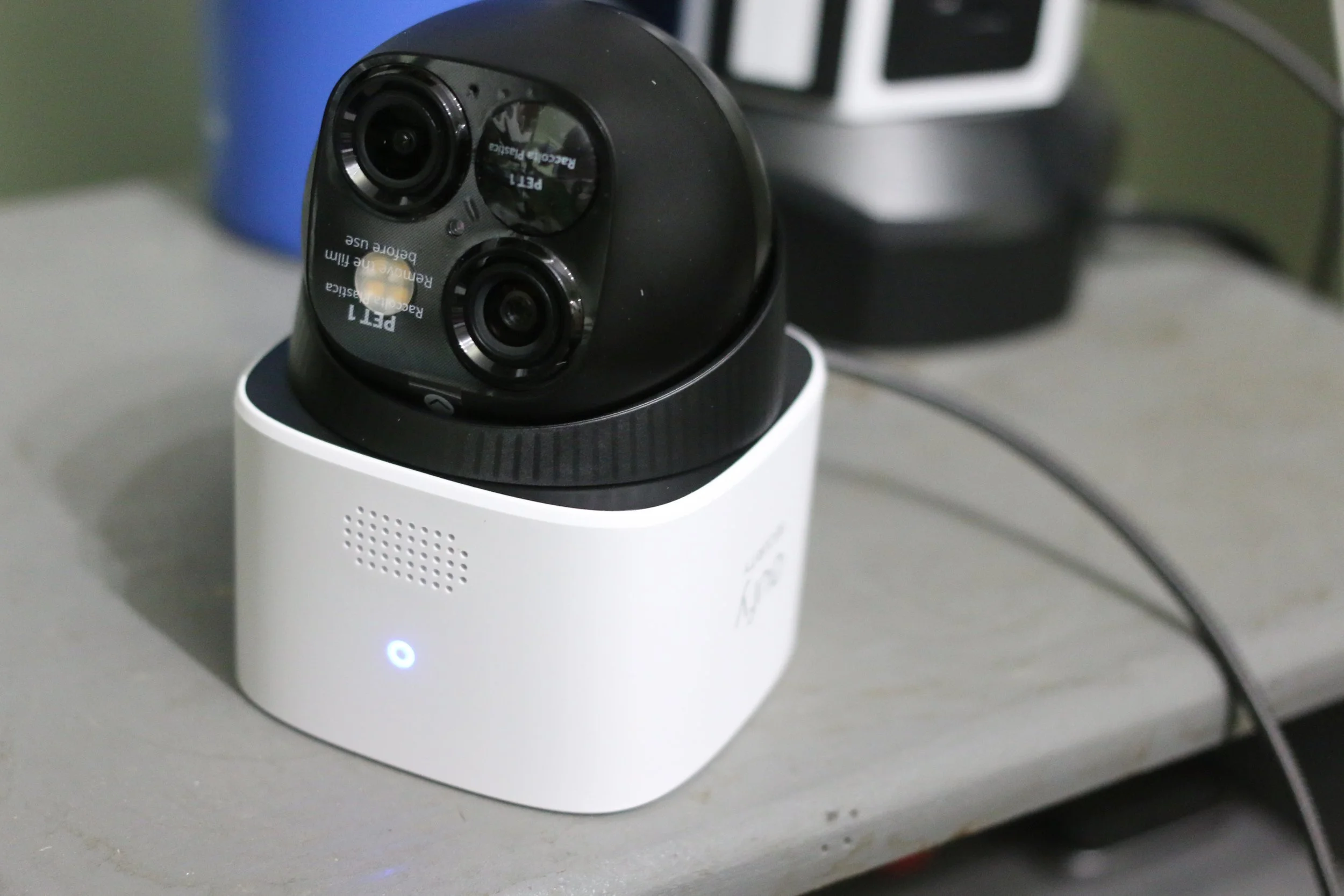
(When you get the camera, you unpack it. You plug the USB-C into the back and then plug the other end into a power source. All you have to do is make sure the camera is fully charged before installing it. The light turns off when the camera is fully charged.)
The camera will light up blue. When the camera is charged, the blue light turns off. I bought the camera after my son’s soccer game, so I ended up plugging it into the power at 9 PM, so I just left it overnight. I have no idea how long it took to fully charge up.
The installation
The camera is charged. Now it is time to get that camera talking to the app. I wanted to get all this done before mounting it on the wall. I have had it before where something is defective, and it sucks to keep going up and down the ladder to try and reset things. This is easy with the QR code on the camera. I just opened my camera, aimed it at the QR code, and we were in business. I followed the prompts, and it was done. Eufy brought me to that Euphistic state! I let the camera do a firmware update while I made sure I knew where I wanted the camera mounted.
Next, I talked to my neighbors. I wanted to mount the camera on the side of our house where we park our half truck known as the Ridgeline. As a side note, I had no idea that a Ridgeline could be so entertaining to own. You can tell someone with an El Camino SS that the Ridgeline is like his classic, but better. “Sure, the El Camino might have the 454, but I have V-Tec. I mean it is half man/half beast like a Centaur.” You will realize quickly whether they have a sense of humor or if they really take themselves seriously.
Back on point, our kids take out the Ridgeline to go paddleboarding/kayaking, and I love throwing bikes over the tailgate. I am not afraid that someone is going to steal the truck, but I am concerned that someone might take the gear. We park the Ridgeline so that the kids don’t always unload the truck. I want a camera to watch the half truck. Honestly, I hope the camera is a deterrent to keep people from fleecing the Centaur. It is half car and half almost pickup.
The video below is the quick setup using the app.
Camera Mounting
Now, it is time to get the camera mounted to the wall. First, I get my neighbor’s permission and mount the camera on the house. I am going to have the camera facing their house, and I don’t want them to be creeped out by it. They gave me the go-ahead, so it is time to proceed.
Now, we have to mount the camera. Their suggestion is 7-9 feet up. I guess this will keep people from hitting the camera, but it will still get a good picture of someone trespassing. The kit includes a sticker to use as a template. Personally, I really don’t like these because it is difficult to level a sticker. I just use the mount that is detachable from the camera. It is plastic, and I might see if I can get a metal one made to be a little more robust. I’m not excited about that, but it is very sturdy once mounted.
I proceed to use the plastic mount. I find a stud and put the center screw hole in the stud. I run the first screw into the wall. I do not put it all the way into the wall so I can swivel the mount back and forth. I get my little level out and make sure that the mount is level. I take a pencil and fill in the holes. Now I move the mount to the side and drill the first tiny hole. The kit does include drywall anchors. However, with a screw in the stud and the other two in the siding, I opted not to use the drywall anchors. I got the center one in the stud, leveled the mount, and then drove two other screws into the siding.
Now, I have the mount leveled on the wall. Done! I think it took me longer to type this than to actually do it. The Little Giant Ladder has been an asset. Amazon will give me a kickback, but this ladder is double the price on Amazon vs Costco. Personally, the Costco one is a bargain and great to have around the house. It is worth getting a Costco membership for a year just to get that ladder.
Now that the camera is mounted, I have set the fence triggers. This is where the camera looks for motion in a particular area. This is where you want to ask your neighbors what they want. My neighbor wanted part of their yard surveilled, and so I set the fence accordingly. Once this is set, then you basically just leave it alone. You set this up by:
1. Settings
2. Pan/Tilt (Set the “Preset Positions”)
3. Back out (back arrow)
4. Motion Detection
5. Activity Zone (You should see the three “Preset Positions.”)
6. Click on the “Preset Position” and set your activity zone.
(UPDATED 9/7/2026 The video below shows how to set the motion.)
You can click on the detection response: vehicles, humans, and all. I opt to avoid the critters that might cruise around at night, and just have humans and vehicles. Never forget to take the opportunity to remind your teenagers that Eufy has identified them as human, so grunting is not human communication.
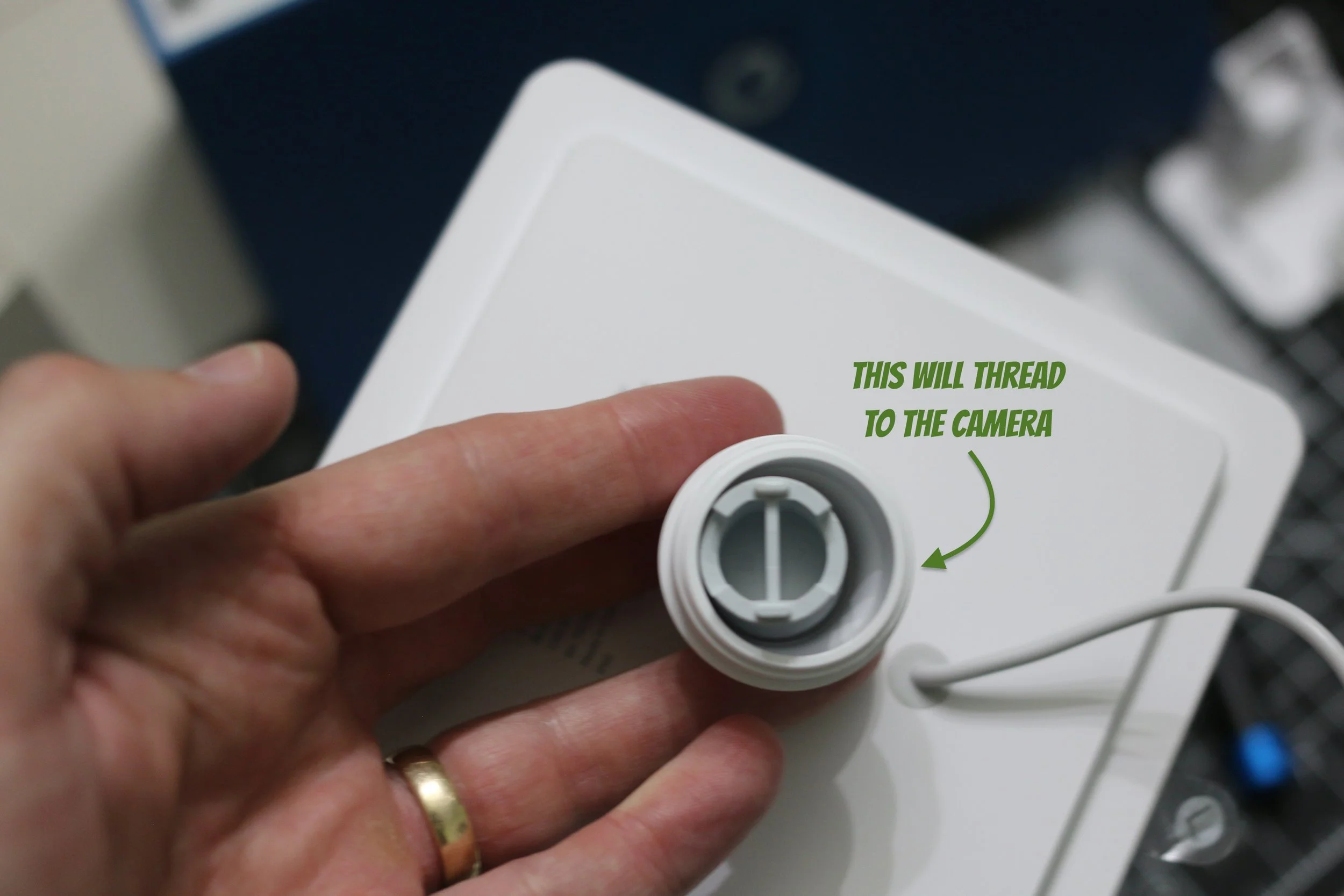
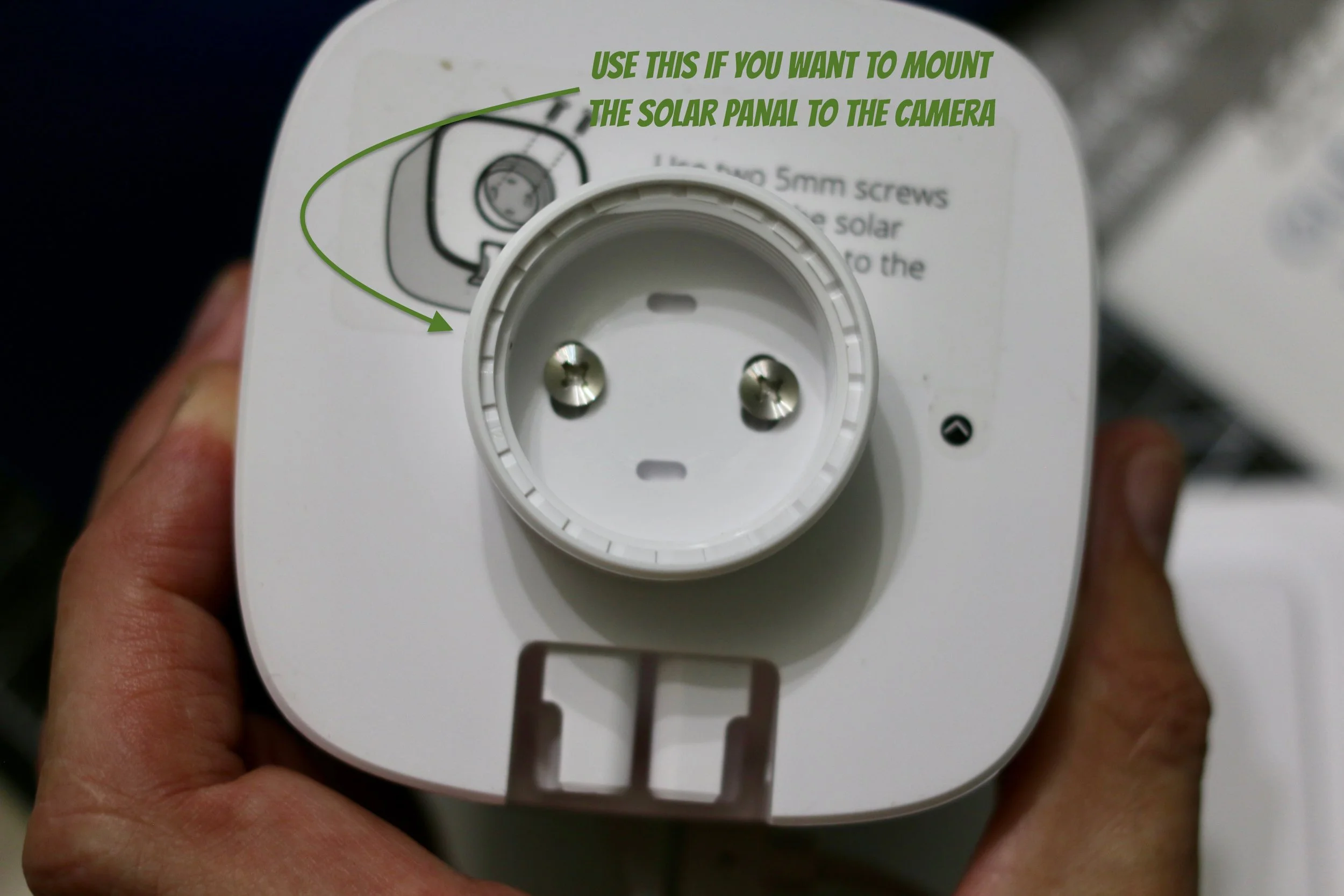
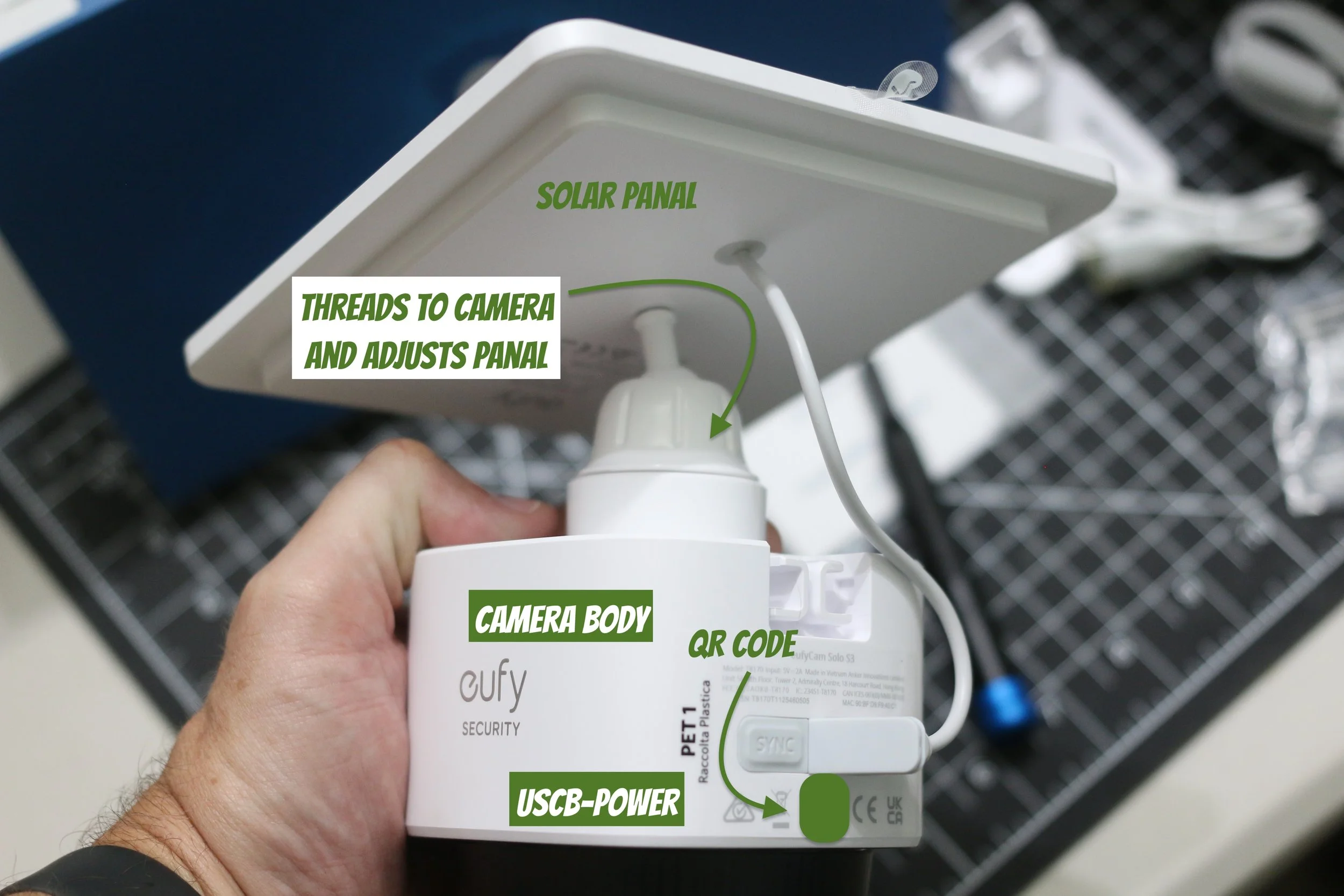
Conclusion
Time will tell how long the battery lasts. I will say that the doorbell has absolutely impressed me. I love the fact that there is no subscription for this product. I will probably buy their server that is pre-programmed for their devices.
I will check back in 6 months to do an update on this camera. I can say that the doorbell has been going great. I love the facial recognition on the doorbell. This camera incorporates all the best stuff from the doorbell. Not having to run power to the camera speeds up the install time. The camera has been running for a week and has been functioning well, and in 6 months I will report if that is still the case. I would totally recommend this camera. The main drawback is that all storage is stored on the camera versus a server. However, I plan to buy their server so the data is not stored only on the camera. My priority is to grab another one while they are still on sale. I can grab their server in a month.
Don’t miss more ideas to get out with the family.
Subscribe to Paulie’s Picks and get new adventures and reviews delivered to your RSS reader.
Subscribe via RSS →Enjoying Paulie’s Picks? Buy me a coffee.