
Starlink Internet: Worth it? Yeah, I think so
My internet keeps climbing in cost. I mean, it seems like every 2-3 months they add another 10 dollars onto the monthly price. It is getting old. Like moldy cheese old. I get sick of it. So, it is time to do something about it. I decided to try out Starlink. First, I want to say 45 minutes? My butt…er… I mean, Yeah Right! My advice: take the $99 install or find a handy friend. However, if you are cheap like me, then don’t exercise wisdom or discretion. Just jump in and figure it out. That is what I did, so if you keep reading, here is what I did to install Starlink.
The PreGame Setup
It is important to know the hardware for the Starlink connections. No one told me that the connections were all Ethernet. For some reason, I had in my head that I had to tie into my cable. Guess what? You don’t! This resulted in unnecessary stress because I had it in my brain that I needed to figure out what cable went where. So, I ordered a cable tester from Home Depot to figure out all the cable runs in my house.
This stressed me out because the order was delayed. I called Home Depot, and they assured me it would arrive by Thursday. So, I waited outside all day on Thursday in the pouring rain, and the package never showed up. I followed the trend of our current society and posted a rant to TikTok to feel better. Actually, none of that really happened.
So, the only part of that story that is true is that I thought I had to find the cable runs and the cable tester was delayed. Turns out that I really don’t need it anyway. The Starlink box arrived on Saturday, and I realized that it was all Ethernet. So, cable smable. No need to stress about it.
(UPDATE: Home Depot sent me a gift card and called me to make sure the issue is resolved. I did receive the mailed item even though the tracking never updated. - 8/27/2026)
The Installation
Starlink includes a diagram as to how you hook things together. The QR code will take you to the app to set up and initialize everything. Note where things get plugged together. I will emphasize that you need to really push on the connections. Yes, they might feel as if they are going to break, but I am going to emphasize throughout this post: PUSH! They will not break, and it takes some force to make sure everything is connected.
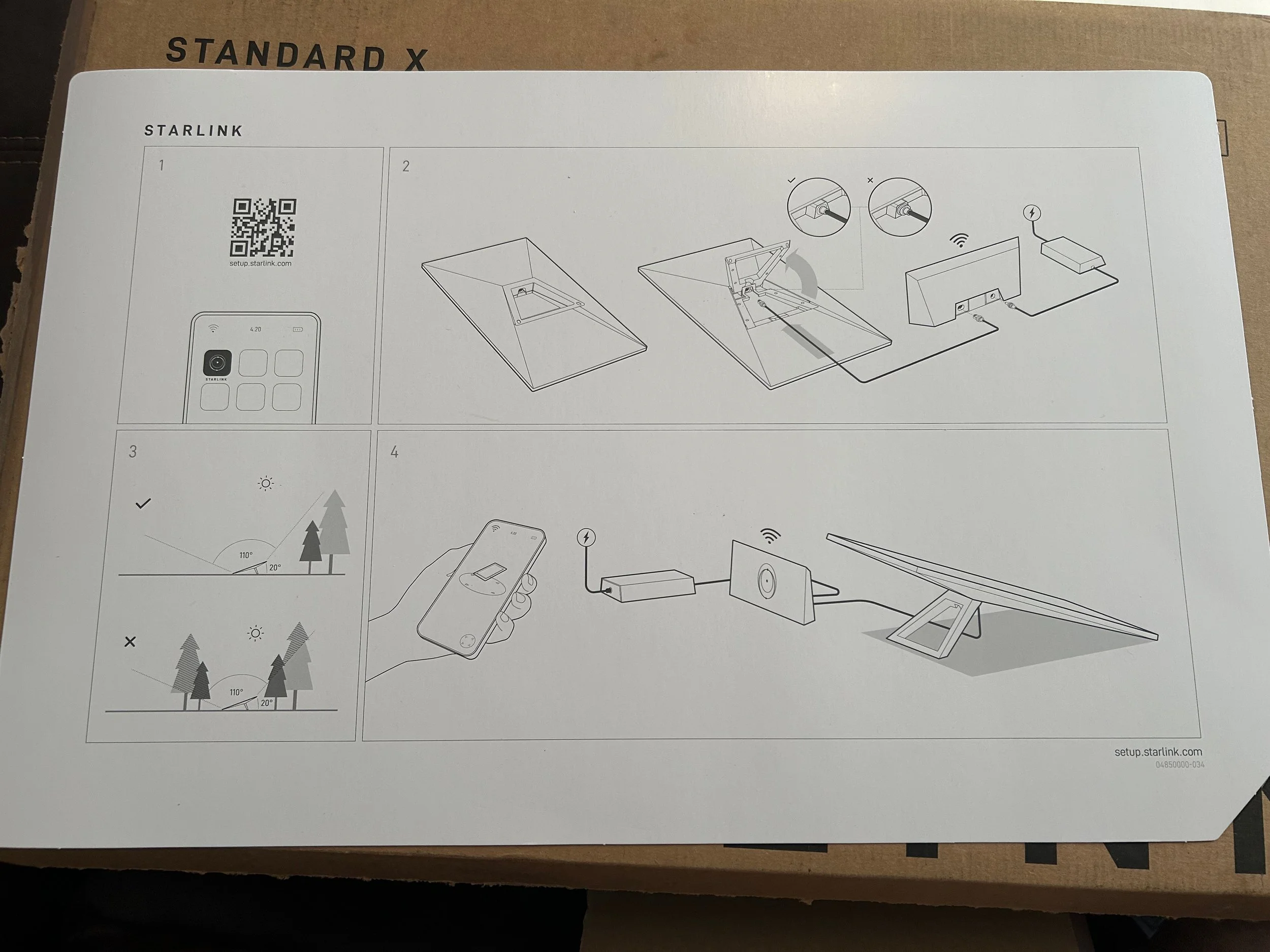
It is pretty slick. However, they say about 45 minutes. Yeah, maybe if you know exactly where to run the cable, it will be 45 minutes. Also, if you really do not care about being neat you could get it done in 45 minutes. I wanted to mount the internet on the side of my house by the garage. Turns out that the outside of my garage is the best place for it. So, that worked out for me. I found the place to mount it, but then I realized that I have to order the roof mount for it. If you plan to mount the Starlink in your house, you want to add the roof mount to the cart.
I will praise Starlink because when I went back to their site to order it, they sent it to me with free shipping. The total cost is $10. I really can’t beat that. When you call their 1-888 GO-STARLINK or 1.888.467.8275 number, you are talking to an AI agent, but the AI works well! Their customer service is top-notch so far. I wish all companies could get an AI agent to work this well if they are not going to use a human. You also don’t have to touch 1 million keys, get the rubber glove treatment, and stand on your head while working the keypad to get assistance. Seriously, this is a very good experience for an ISP.
I realized that not having the roof mount might be a blessing in disguise. I have no idea if I want this service, and so why punch holes in the wall if I might have to return it? So, I opted for a temporary installation.
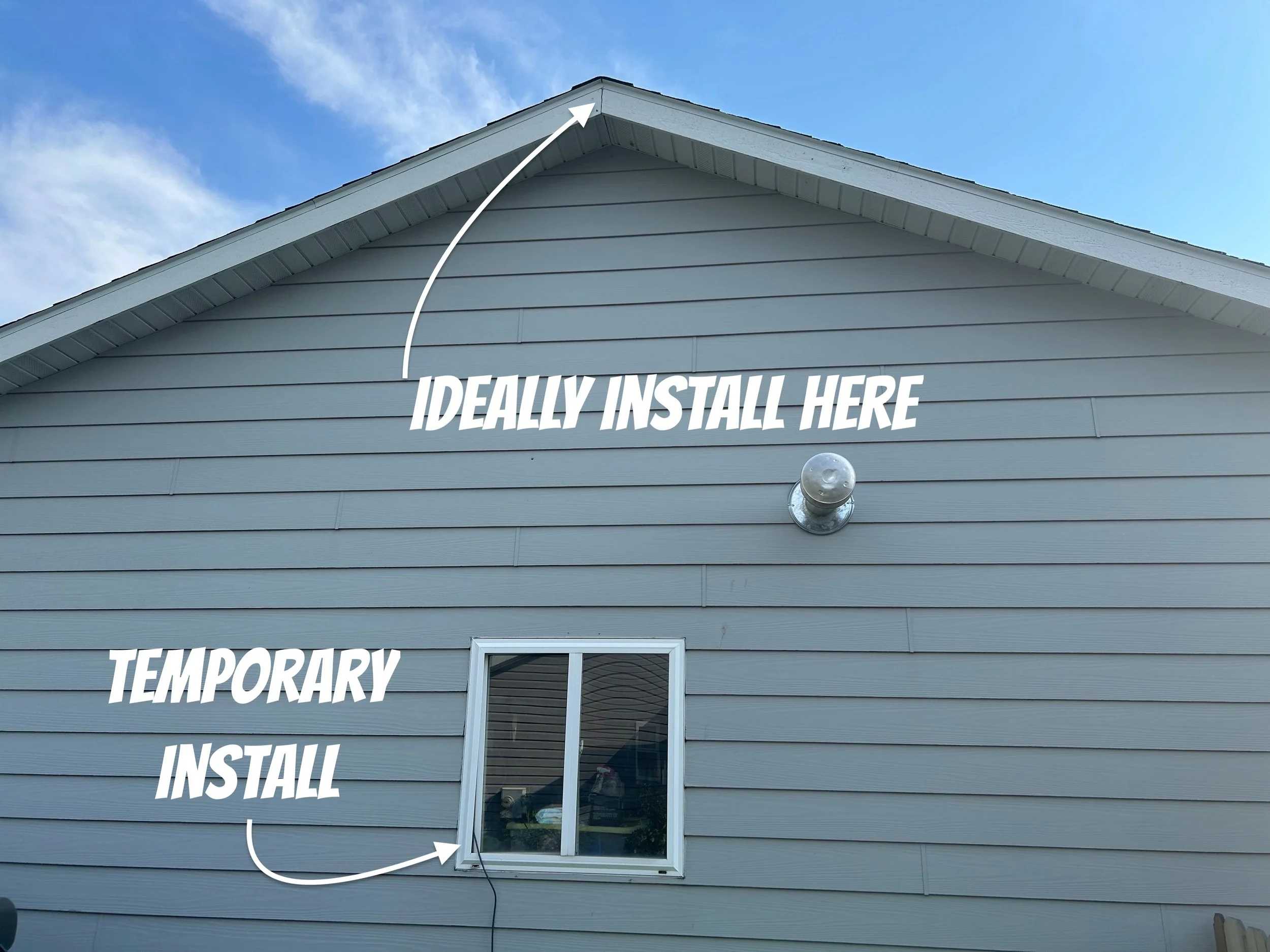
The Temporary Installation
I decided to find a place outside near my roof mounting goal. I opened the app and did their circling thing. That must have looked nice, seeing a guy who lacks ballerina grace almost break a hip a few times. Finding the location with your phone’s camera is a little weird, but it works slick. I also discovered that you use this to get a basic view of the clear sky.
You want the white dots to fill the circle. As you move your phone, you will find the right connection. I was pretty focused at this point to make sure I got it right. Then, the app helped me reposition the antenna when I activated the system. So, you don’t need to stress about this too much. My advice: get a rough estimate, find a clear view to the sky, and don’t worry about it.
Next, I unraveled the Ethernet cable. My gut instinct is they give you about 100 feet. I am not sure how it would impact your service if you couple it and extend the wire. I tend to stick with the recommended runs. I plugged the Ethernet into the back of the antenna. Now, these connections you have to push really hard. Like you feel like you are going to break something hard. Remember that you have to push on the connectors like you are channeling your inner anger. It will feel like you are going to break something, but you will not.
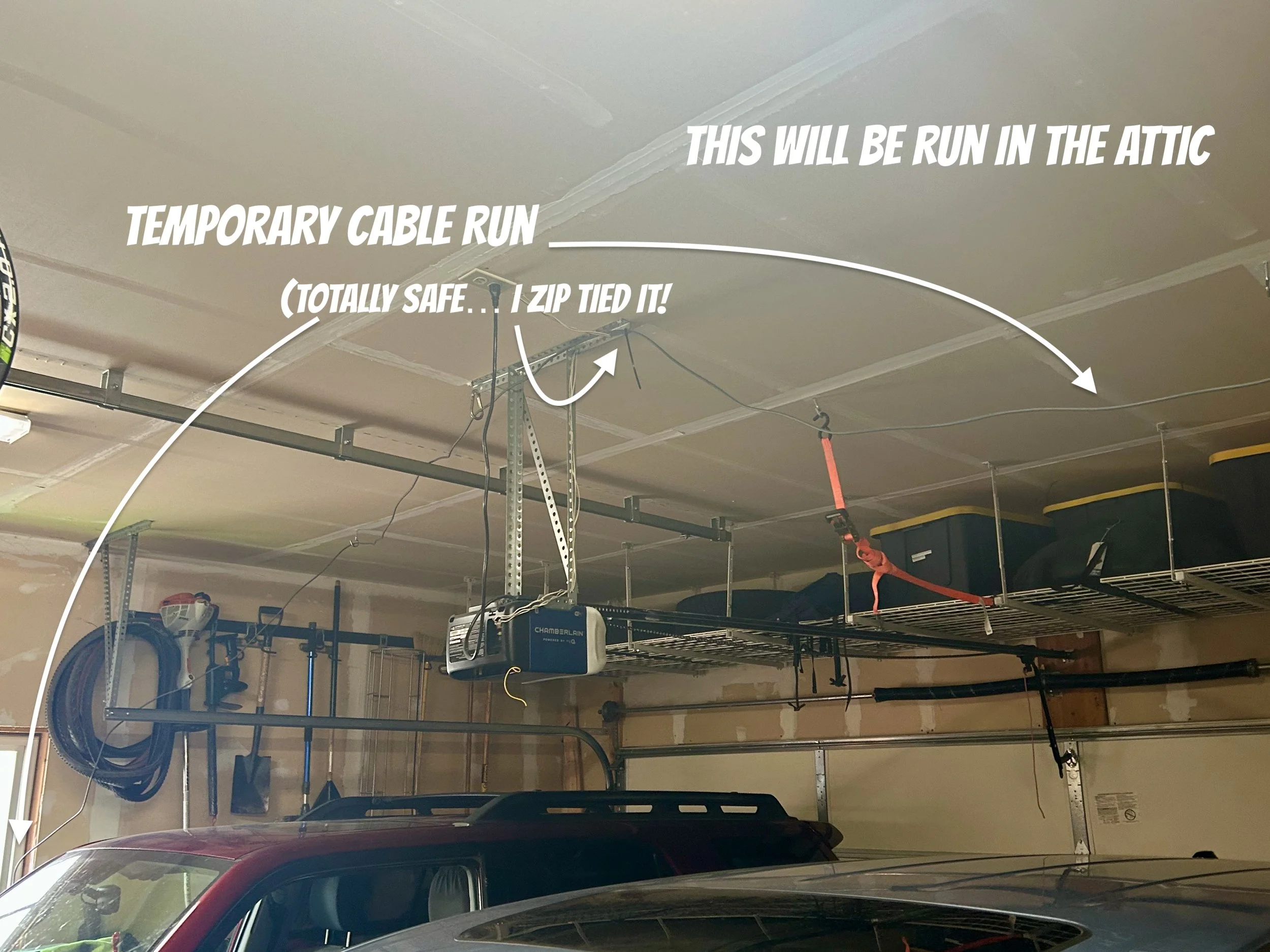
This is a temporary cable run in my garage. I zip-tied the cable to various places just to hold it out of the way for a week. It comes in through the window, and then I ran it on the ceiling. I can get the modem/router/internet equipment mounted. I can also find out if I have enough cable to make it.
I ran the Ethernet cable through the window in the garage, and then temporarily ran it across the garage ceiling to try it out before doing a full and neat installation. I bought little window sliding locks to prevent someone from opening the window. I had a tech shelf in my home office that used to hold a router. I got rid of the router and procrastinated in taking it down. I am good at procrastination. I wish it were an Olympic sport. However, I think training and the competition will always be tomorrow. So, I don’t think it would ever catch on. Back on point…. I removed the tech shelf in my office and ran down to the garage to mount the shelf.
I grabbed the stud finder and mounted the shelf in the garage. I also had a mount for my Velop system that I never mounted. I do not recommend the Velop system, but for now I hooked it up in my garage. I plugged everything together and tried to get things to boot up. I plan to upgrade my mesh routers in the near future.
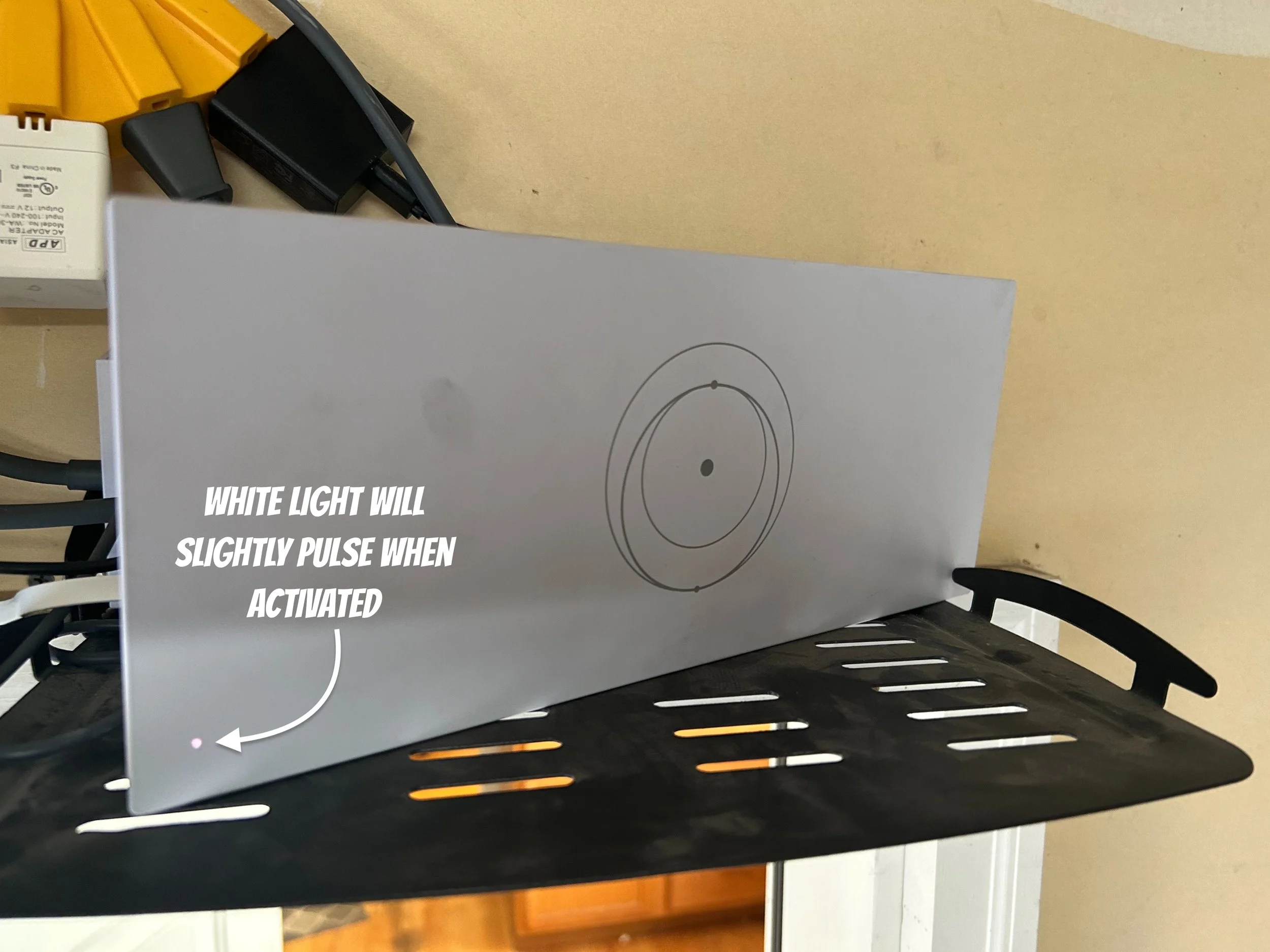
This is the stage that held me up. I could not get the Starlink router to boot up, and I could not tell what was wrong with it. The app told me to look for the light on the modem and search for the Starlink Network. I could not get the thing to boot up for the life of me. I ended up calling Starlink, and they dropped a new power supply in the mail within a few hours. Great customer support!
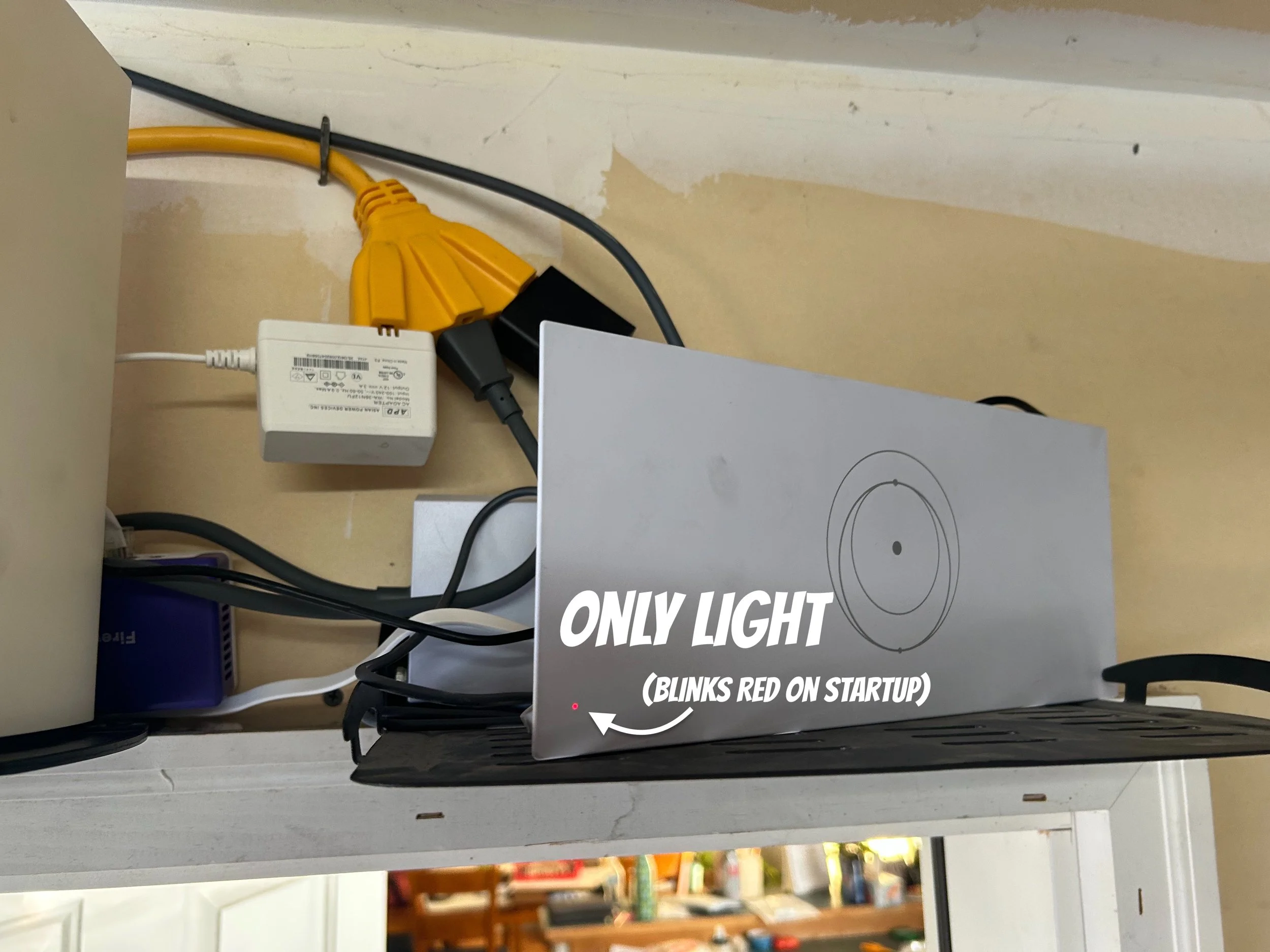
I went back to the garage to inspect things. I tried different outlets again. Nothing worked. Then I pushed really hard on the power cord on the back of the modem/router. Remember that push with the antenna? Yeah, I had to push hard. Like I thought I was going to break something hard. The frustrating thing is I never heard it click or anything. I pushed, and finally there was a small orange light that started to blink. Turns out that I did not push the power cord hard enough. Live and learn. I guess the motto is, “You’re not going to break it so keep pushing!”
The Activation
Once I got the power cable pushed in, I just followed the app. If you have set up any networks even on a basic level, this is pretty intuitive. You just follow the prompts and let it go. You will know if things are operating because you should connect to the Starlink WIFI network. If that network is not available, push harder on the power cable.
I have a firewall/router combination that I want to keep. I like my Firewalla router. You can set up a VPN for when you are at coffee shops, hotels, or the like. You can use Open VPN or some of their other options. So, I really like that, and yes, you have to be a bit geeky to get it to work well.
In order to get that all to work, the easiest thing was to disable the router functions in Starlink. I did not take the time to see if there is an easy way to manually set things in the router. I did notice that you can set up the Starlink modem as a wireless router. I was able to connect to the router from the other side of my house. That is through a couple of walls. So, the WIFI is impressive.
Also, I noticed on setup that there are parental controls. So if you want to limit the red light district on the internet for your kids, you can do that. It is pretty easy to enable that stuff. If I did not have equipment already, I would have totally used their router.
I have run some speed tests. They have ranged from 100 to 200 Mbps. I am a little disappointed as I pay the mid-tier, which is supposed to be 200 Mbps. Anyway, we will see how this goes. My firewall might be slowing things down a bit as it blocks ads and phishing schemes.
Oh, and I discovered that you can put the antenna down on the ground. Placed mine on our composter and against the fence. This is not my permanent place, but it is great for me to get an idea of the service. We are happy with the service.
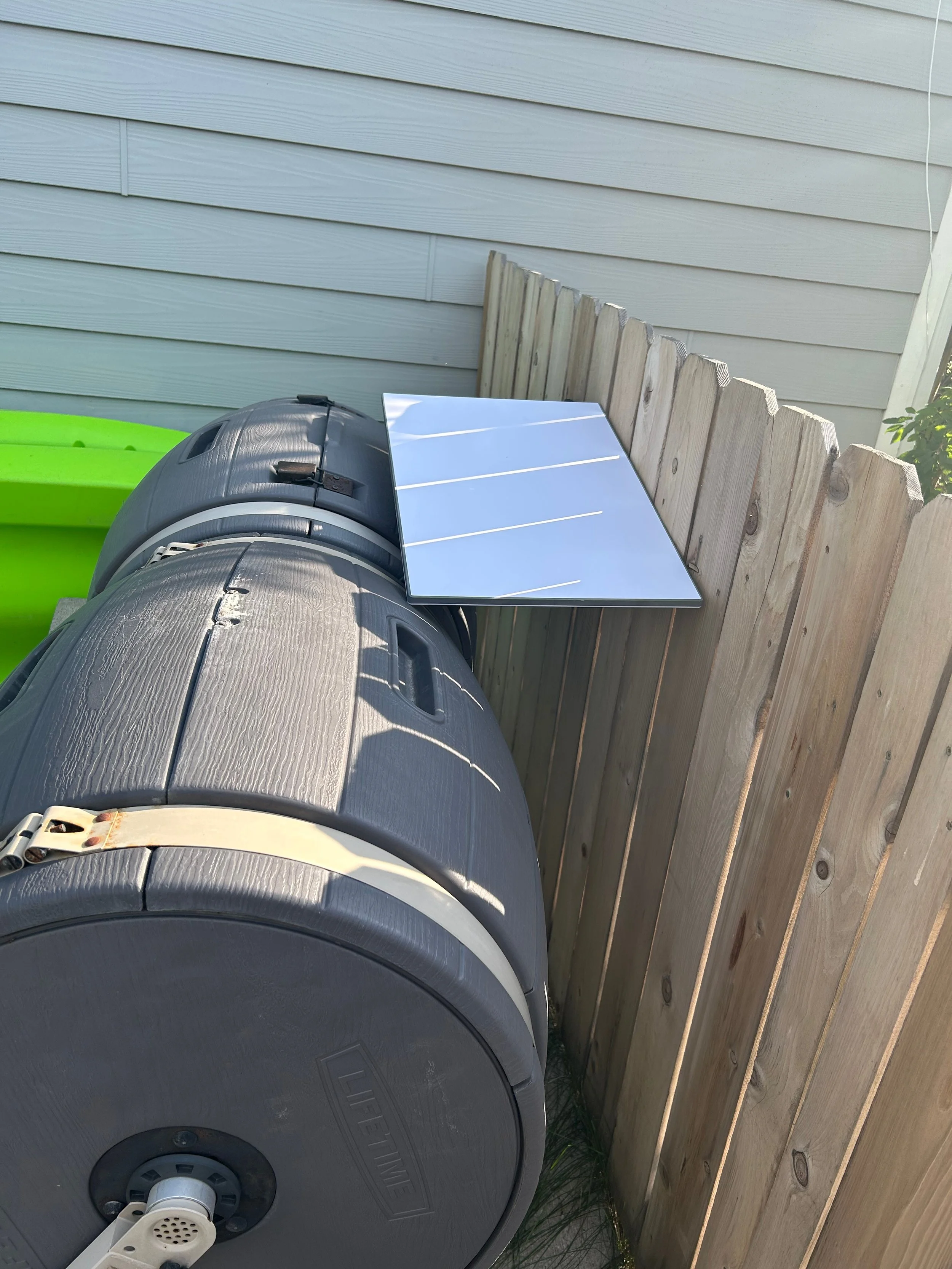
This is my temporary placement of the antenna. It works well enough to try the service.
Conclusion
I have someone coming this weekend to help me run the wire through the wall and the wire through the attic above the garage. It is not going to be easy for me to run this by myself, mostly because this is not in my wheelhouse and I need to figure it out.
The fact that I plan to permanently install this tells you that this is a Paulie’s pick. I worried about our Montana winters. We can get a LOT of snow. Well, the antenna has an auto snowmelt option, which is pretty cool. So, it looks like they thought of everything. I will check back in the winter to see if it really works.
Overall, my family has been hammering on the internet like we normally do, and we have not noticed any difference from Spectrum. So, I would recommend Starlink if you are looking for a new internet service. I will see if I am still singing its praises in December when we are buried in snow!
Don’t miss more ideas to get out with the family.
Subscribe to Paulie’s Picks and get new adventures and reviews delivered to your RSS reader.
Subscribe via RSS →Enjoying Paulie’s Picks? Buy me a coffee.