
Introduction
My family lives in a safe neighborhood, but this doesn’t mean things don’t happen. Even safe neighborhoods can have their problems. I know that sometimes after mountain biking there is a little bit of body jostling that tends to rattle breakfast loose, and then nature calls. I mean, like really calls. So, I get home, leave the bike in place, and answer that call before it leaves a voicemail. I did not intend to leave the bike in the rack or over the tailgate, but I did. 99% of the time it would be fine. This one time, everything aligns against me, and the bike is gone when I can walk slower and be a bit more focused. Thankfully, the bike missing part has not happened to me, but the scenario has played in my head.
This is why I like cameras to watch over our gear in case I absentmindedly answer nature’s call, and gear potentially develops feet and decides to walk away. On the other hand, there are rare times when we can have moose tour through our neighborhood, and that would be cool to catch on camera. I already installed Eufy cameras, but there is one problem: what if someone steals the camera and the video? This is why I sprung for the HomeBase.
The cameras are good, but not perfect
I really do love these cameras. You can mount one of these cameras in about 30 minutes. The 30 minutes is grabbing the ladder, level, and tools to hang the camera. The part that takes the most time is charging the battery before installing the camera. The best part about this whole security system is that it does not require a subscription or additional wiring because of the included solar panels. Great job, Eufy!
There is one flaw with these cameras. If someone has a broomstick and they hit the camera, they MIGHT be able to knock it off the plate. The plastic is good quality; it sits very sturdy, so this is unlikely. In fact, case in point, our cameras have already withstood a fluke snowstorm. We had some terrible winds with rain that went sideways, and these things keep working. So, I am not losing sleep over someone stealing the cameras. However, all the video is stored on the camera. I grew up in the 80s, and I know that if data is not in at least 2 places, it does not exist.
I do think: what if you have that perfect storm? Someone wants to break into your car; they manage to hit the camera just right, steal it, and there goes your footage. Remember that data in two places thing? Well, that was something that concerned me about these cameras and my doorbell.
I tried to solve this problem with my Mac server, but I was starting to open ports that I did not want to open to get the cameras to talk to my server. I felt like I was using Apple Terminal to launch the space shuttle and was not going to make it to outer space. Then I realized that I was getting above my hobby pay grade, and I called it quits. I did not want someone to gain access to my server or the cameras because of some sloppy command in the terminal.
So, I raised my white flag, opened my cheap wallet, let George Washington squint, and bought the Eufy HomeBase 3 for 200 dollars. This is Eufy’s solution to store the video off the cameras. The HomeBase is their plug-and-play solution.
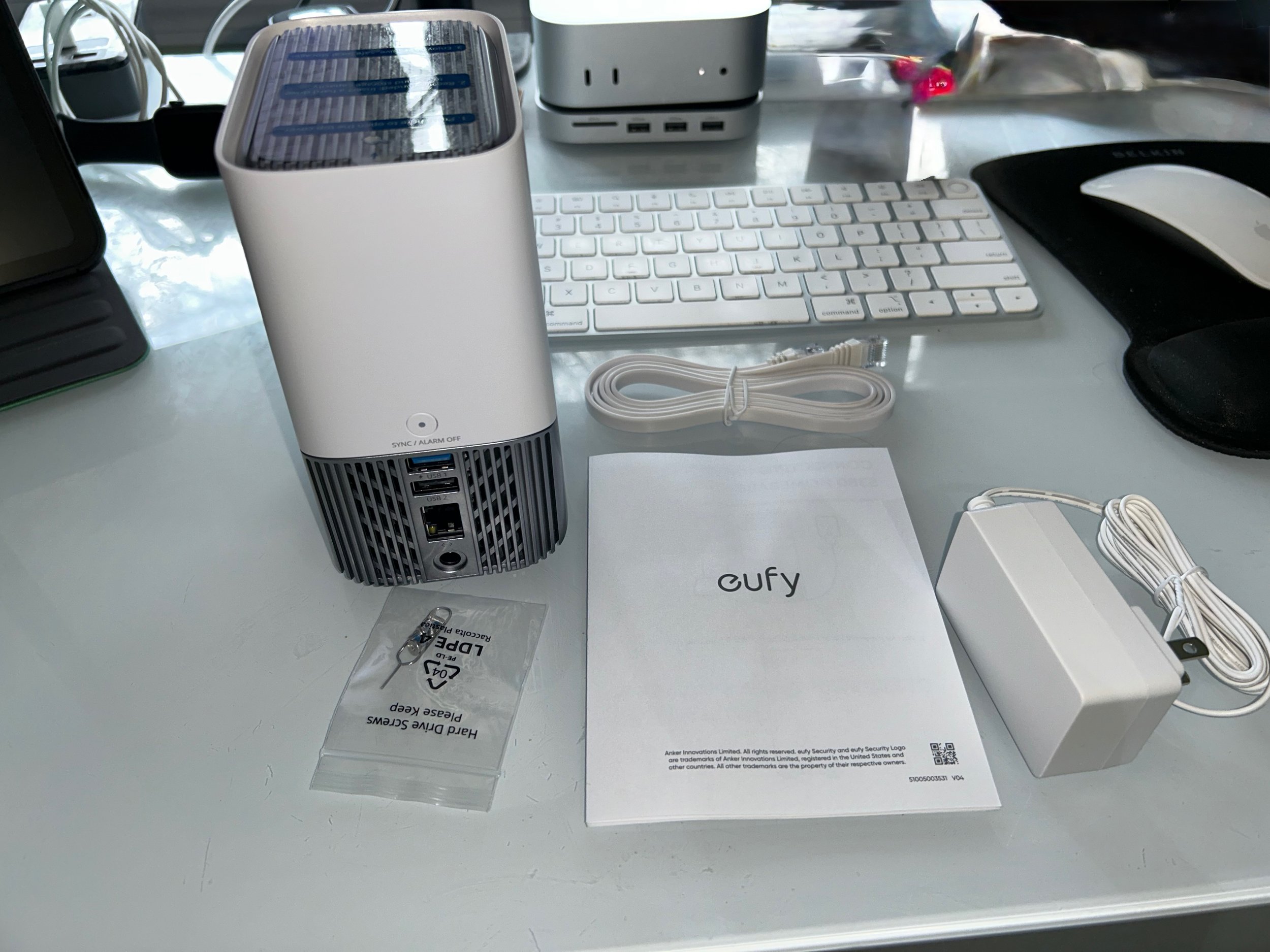
(You can see the HomeBase 3. The user manual mostly just points you to the app. All you do is plug in the Homebase, attach the ethernet cable to your router, and then follow the seup on the app)
Setup
The hardware setup was easy. I mean, like almost too easy. You take it out of the box, you plug it into your router, and wait for it to start. You open the Eufy app, and you follow the prompts. I will put a video below on how to do that. I added it to my system, and the server was running.
I plugged mine into a mesh router on my system, and the Eufy app was able to find the HomeBase. The nice thing is you can plug it into a mesh router and then hide the router and HomeBase in the attic, crawl space, or a closet, as long as you can connect them to the mesh system.
One thing I did not know is that the base has 16 GB of built-in storage, but you can expand it. There is a slot for an SSD to expand the storage. According to Eufy, you want an SSD that is less than 16 TB, 2.5-inch, and they recommend Western Digital, Seagate, SAMSUNG, Kingston, PNY, or Crucial. I had an old 1 TB SSD lying around that I pulled out of a Mac Mini years ago. I popped it in, and I was off to the races. However, this is something to budget into the price of the HomeBase.
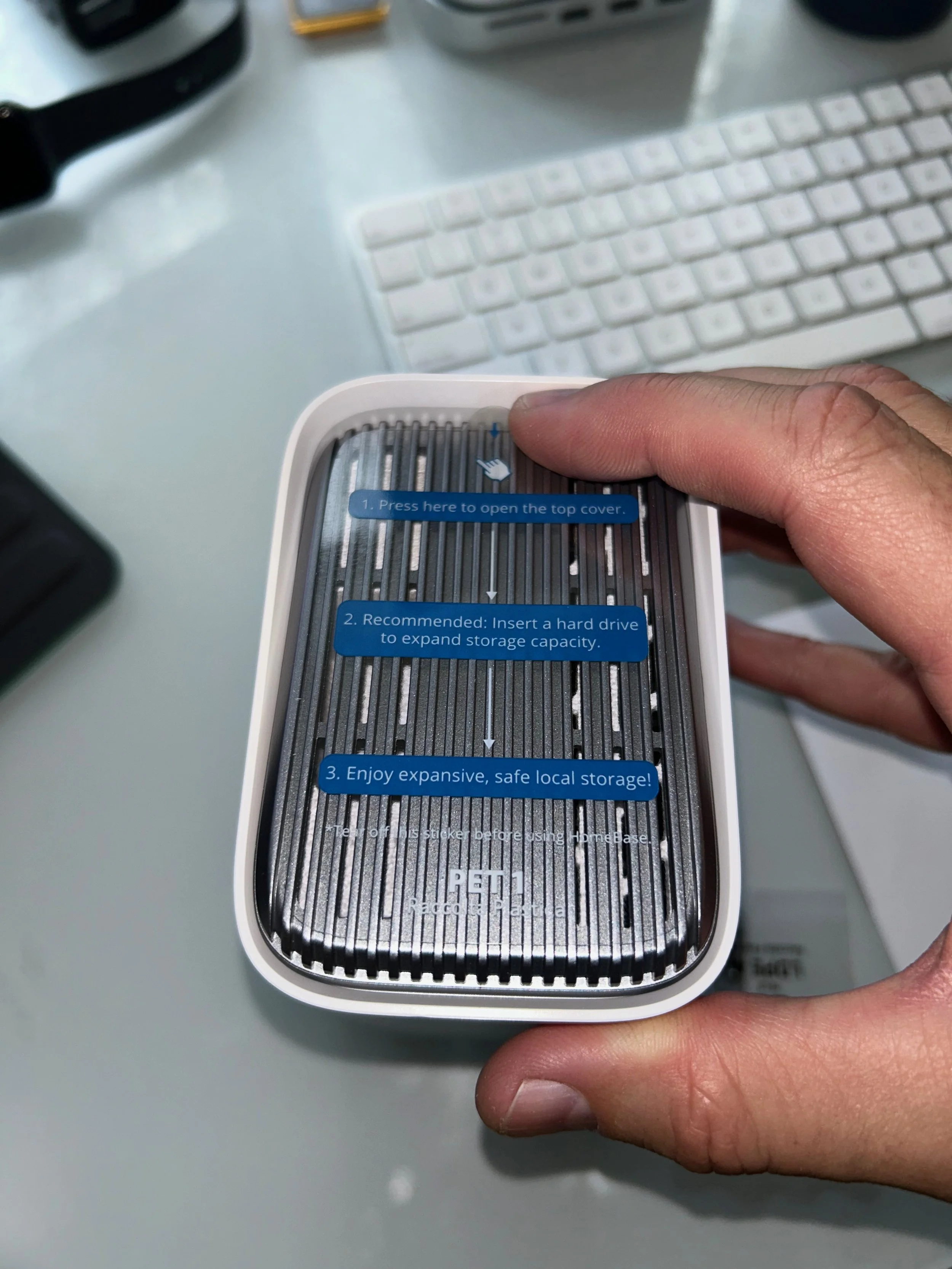
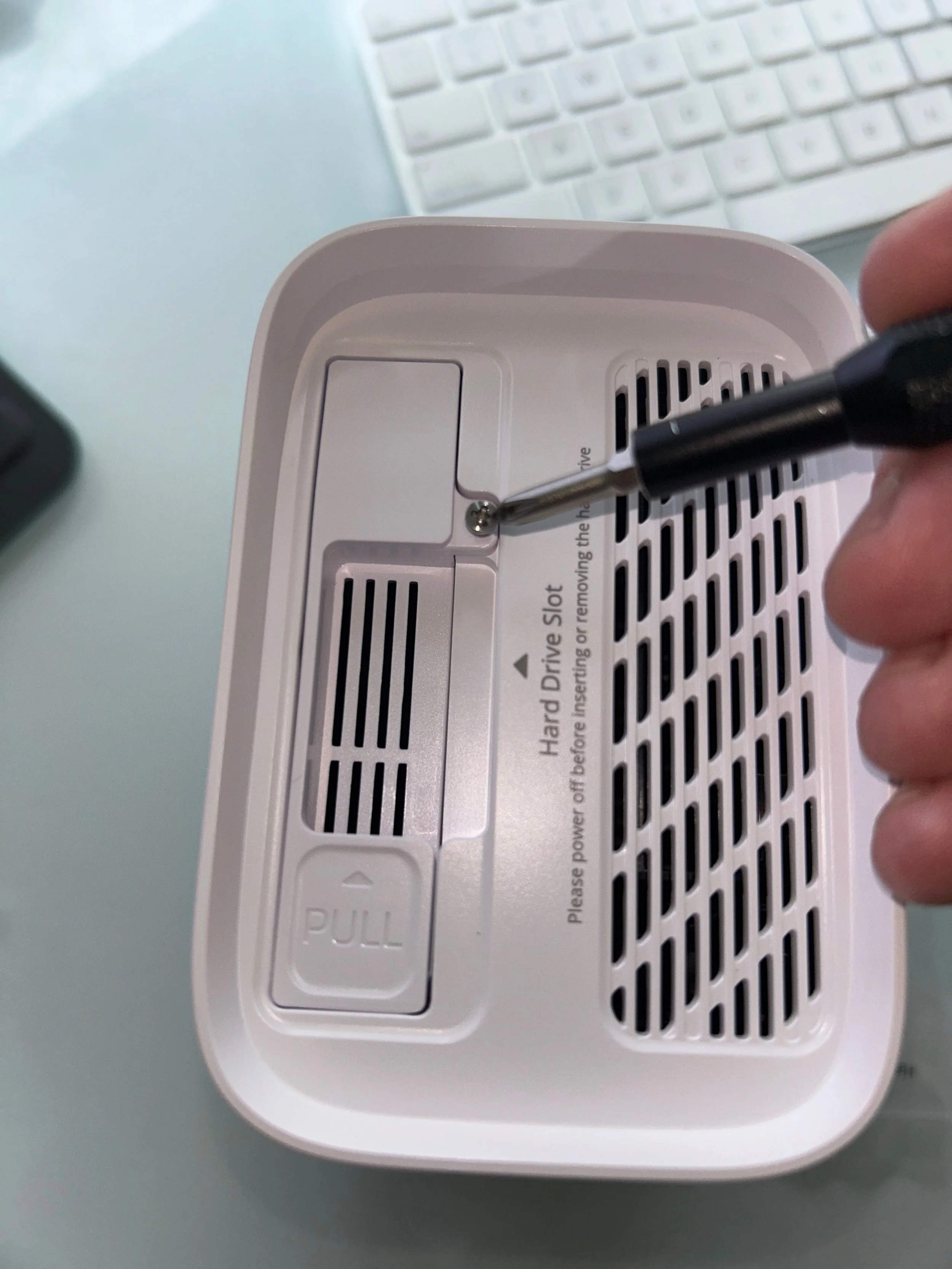
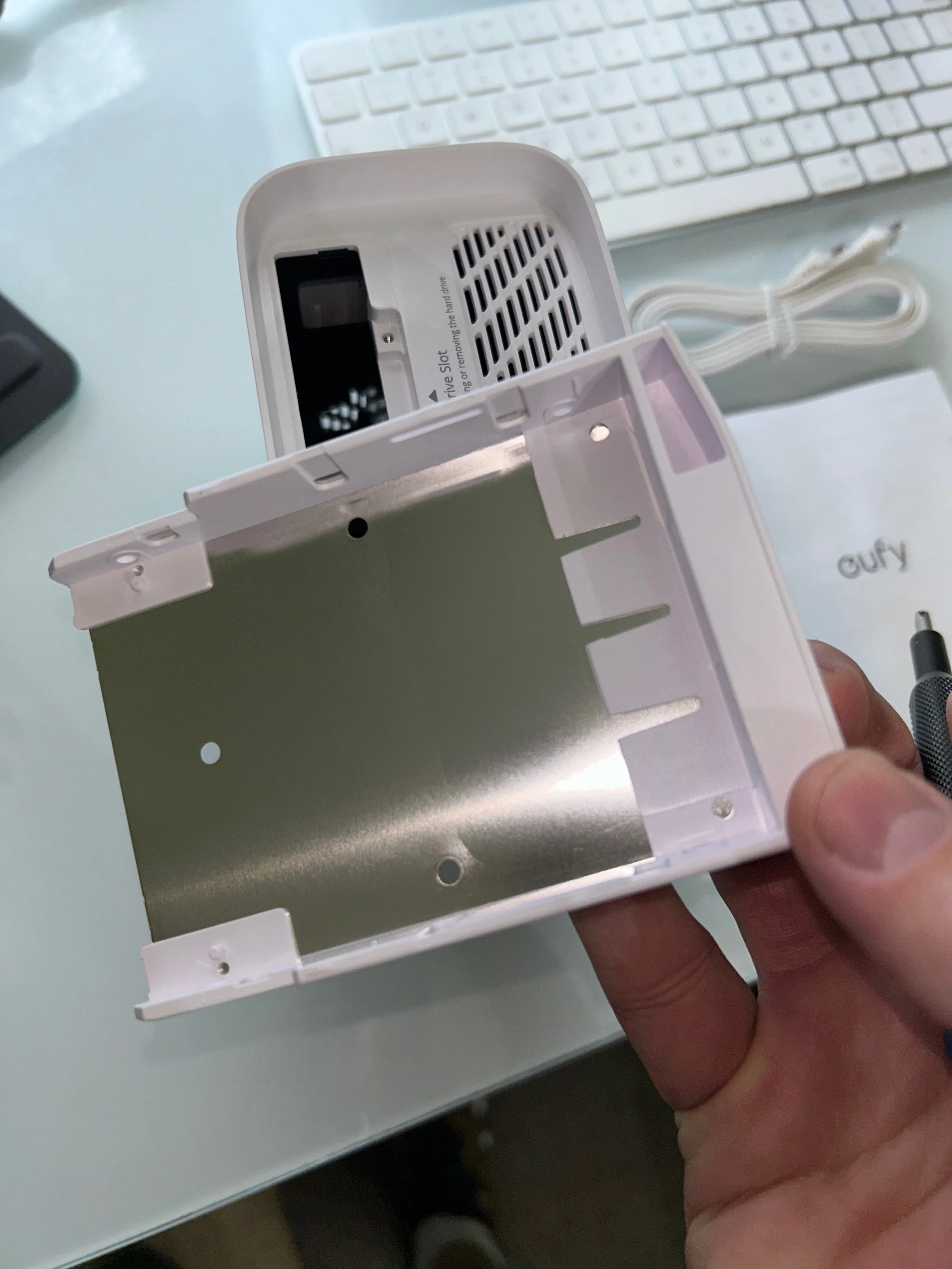
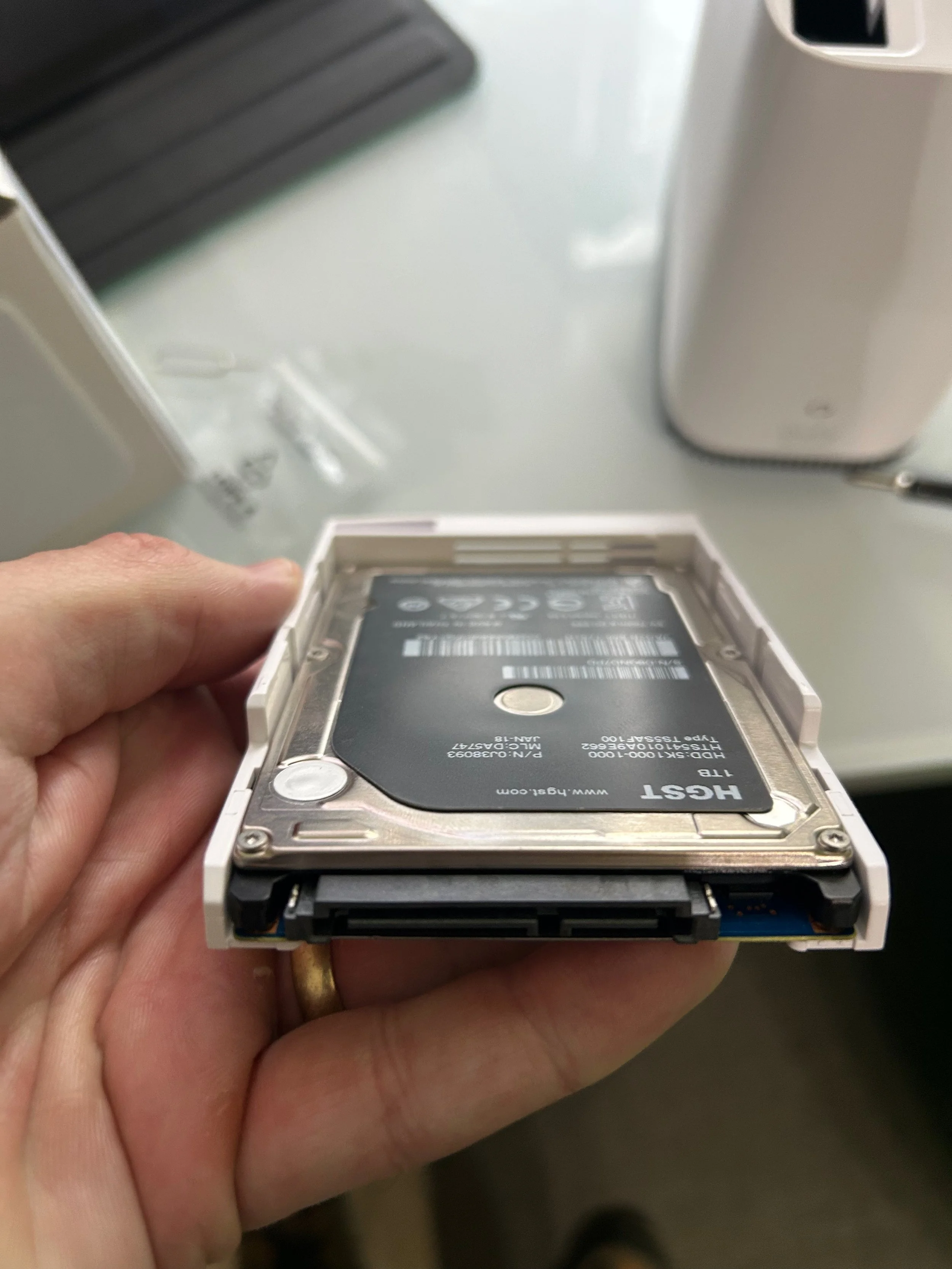
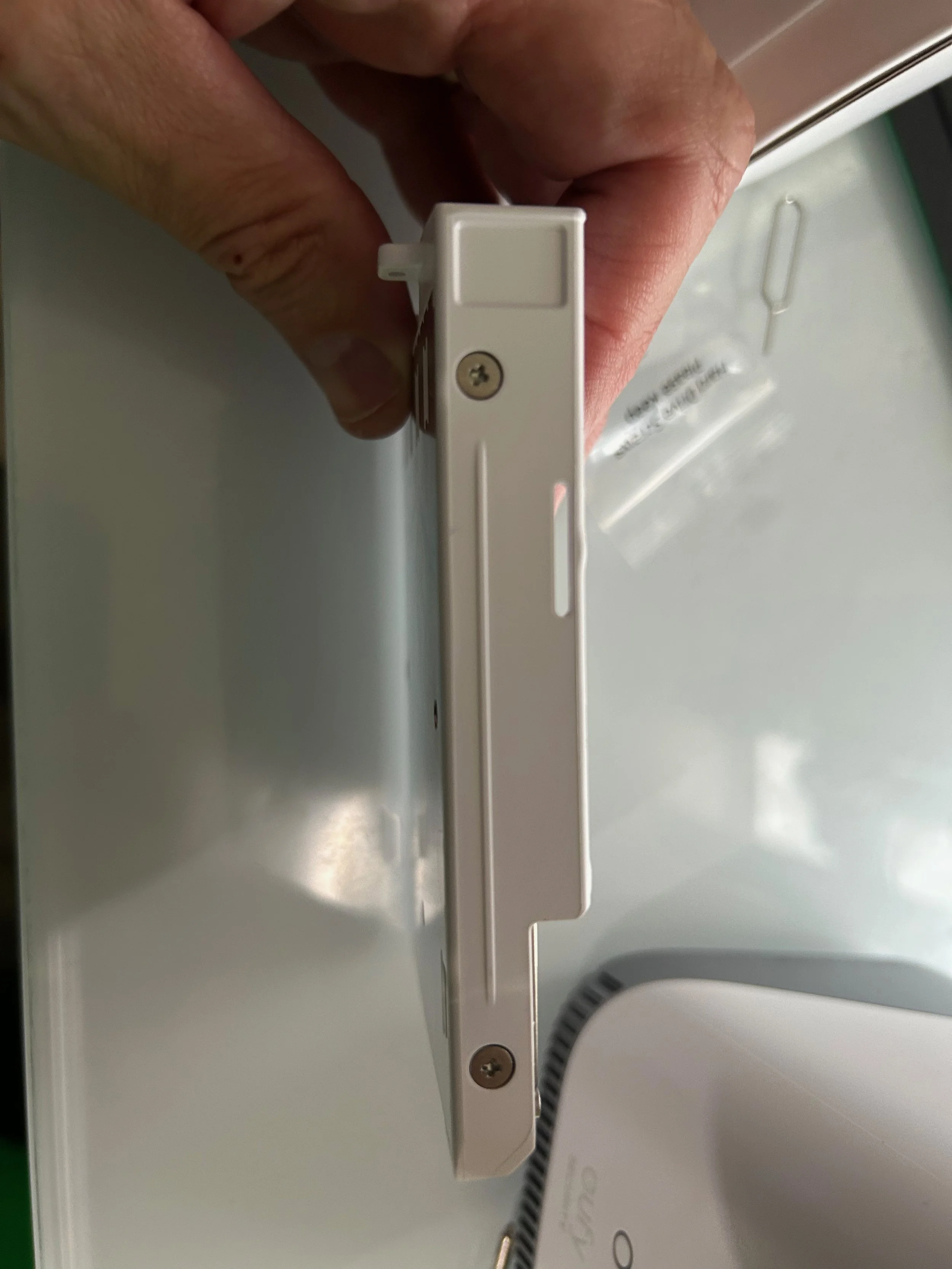
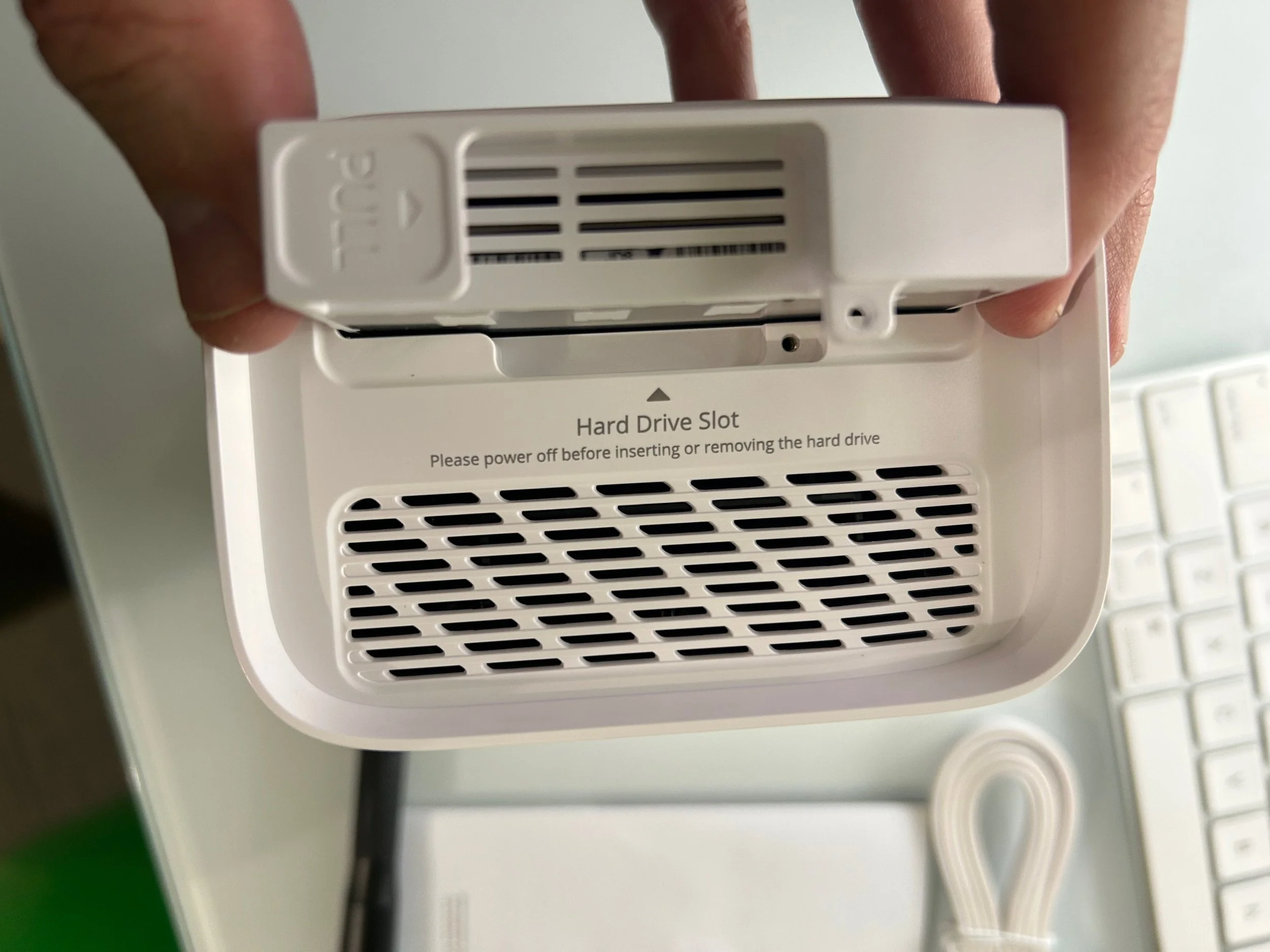
The HomeBase also has two USB drive options. You can plug in a USB hard drive to archive data. This does not expand the storage, but archives video data. I have not tried this with a Drobo or RAID drive, but I imagine that would work. I am going to stick to the 1 TB SSD because that will save enough video for a few weeks. At this point I am not too concerned about archiving data.
I noticed during the setup that there was an option to enhance AI. The problem, I could not find any cameras under the option. I did another task for a while and thought that maybe the HomeBase would find the cameras on its own. Well, that did not happen. I had to go into the menu and pair the camera to the HomeBase. I did this by clicking on the camera options and then pairing them to the HomeBase. Once I did this, the video started moving to the HomeBase. If you want to buy this HomeBase, make sure that the cameras are compatible with it.
It works well, but the software setup is not 100 percent intuitive.
Problems
Reddit threads complain about the HomeBase crashing. I have not experienced that at all over these past two weeks. I know that Eufy sends updates often. Sometimes this is frustrating because the user interface changes. So, you find one menu option in one place, and then after an update it might be in another place. The plus side is that with each update, Eufy gets more stable. My HomeBase has been really stable.
Another problem is that the motion detection can be spotty. I have my zone set out to the street. It seems to do really well when someone or a vehicle is on the street and then turns into the driveway. However, if someone is close to the house, then the cameras do not notice them. Basically, when someone walks out the front door, then the camera might not see them. However, if they walk up from the road, then it is fine.
The facial recognition does not always work well. This is not a huge deal, but it is nice when it notes who is walking up to the house. There is an option to add faces from photos. I have not taken the time to do this, and it seems that Eufy recognizes that their built-in facial recognition can be a problem. It appears that Eufy is working on improving this. The system will still recognize a person or a vehicle. Dogs and cats have not tripped the motion detection. Bummer, this might mean I will not get the moose on video.
Why buy this?
This whole system is fairly easy to set up and get going. I would not use it to protect NASA-level secrets, but for basic home security it is the bomb.
I am surprised at how I use it. It is pathetic, but I use it mostly to check the weather. I will check it at night to see if it is snowing outside. The cameras help me know if I need to gear up for snow cleaning in the morning. I can also figure out if I need to plan some snow play the next day.
You can also record epic RC stuff in front of your house without getting out all the GoPro cameras. I want to play with that option more, as it could be pretty epic to see how well the camera can track the cars.
The biggest advantage of this system is that you do not have to pay a subscription to use all the features. There is an option to do a cloud backup, but you do need to pay for that. There is an option to sync it with iCloud, but I could not get that to work. I wonder if they are working on doing an iCloud backup and maybe working with some other cloud services. I am excited to see where this goes.
Conclusion
This is totally a pick! You can quickly, I mean quickly, set up a security video system at your house. The solar panel chargers are just brilliant. You don’t have to run wires, and you put the cameras exactly where you want them. I noted some of the annoyances that these cameras can have, but overall I would stay in this ecosystem because the annoying things are very minimal.
I really like the HomeBase so far. It just gives me the added peace of mind that if someone takes the camera, then I have it saved off the camera. I have not had any issues. The best part is there is no indication at all that you have the HomeBase. So, if you do have the unfortunate experience of a home robbery or burglary, a suave person might take the camera to steal the footage. However, the HomeBase will actually have the footage, and the burglar will just have a camera.
Here are links on Amazon to the items I have, which are the HomeBase, cameras, and doorbell. Yes, I get a little kickback if you buy from Amazon. I also don’t blame you for shopping around. Sometimes Costco and Sam's Club run specials on these. So, shop around for the best deal on the camera. Have you had any experience with the Eufy ecosystem? Leave it in the comments! I think this system is a home run!
Don’t miss more ideas to get out with the family.
Subscribe to Paulie’s Picks and get new adventures and reviews delivered to your RSS reader.
Subscribe via RSS →Enjoying Paulie’s Picks? Buy me a coffee.